Client Portal
Bring clients into the work - from first document to final sign-off - in one simple portal. No spreadsheet versions, no email back-and-forth, no usernames and passwords to manage.

A head start on discovery
Request the documents you need, and your client uploads them straight into the portal. Glossa reads every file the moment it lands, drafting requirements and pulling answers to your discovery questions automatically, so you walk into your first conversation already past the basics.
Let clients answer the rote stuff
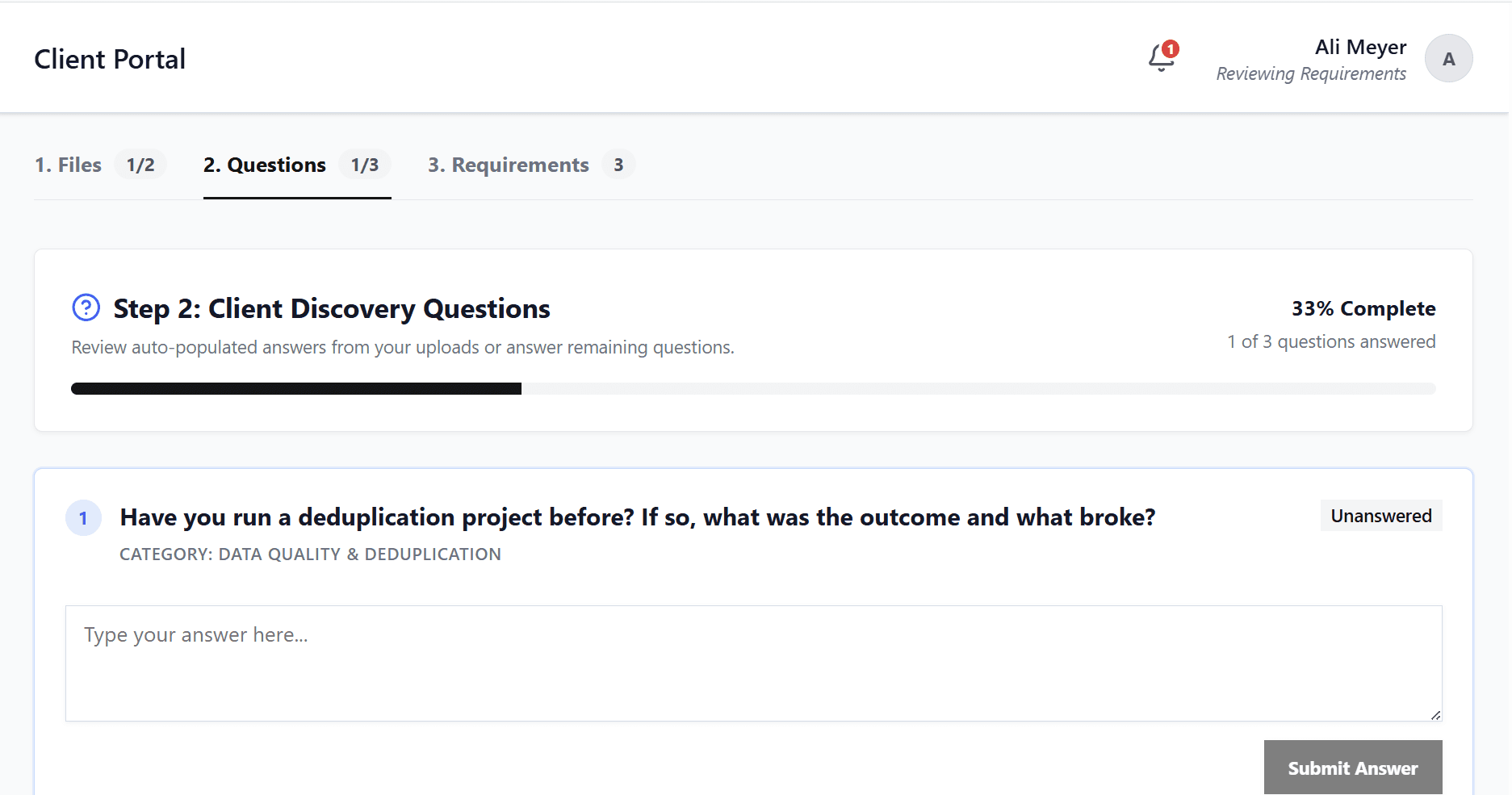
Mark any discovery question as client-facing and it shows up in their portal. Clients review the answers Glossa already pulled from their documents, fill in what's missing, and work through the rest at their own pace - with a progress tracker so everyone can see what's left. If you've ever emailed a client an intake questionnaire and chased the answers, this one's for you.
Send requirements for review
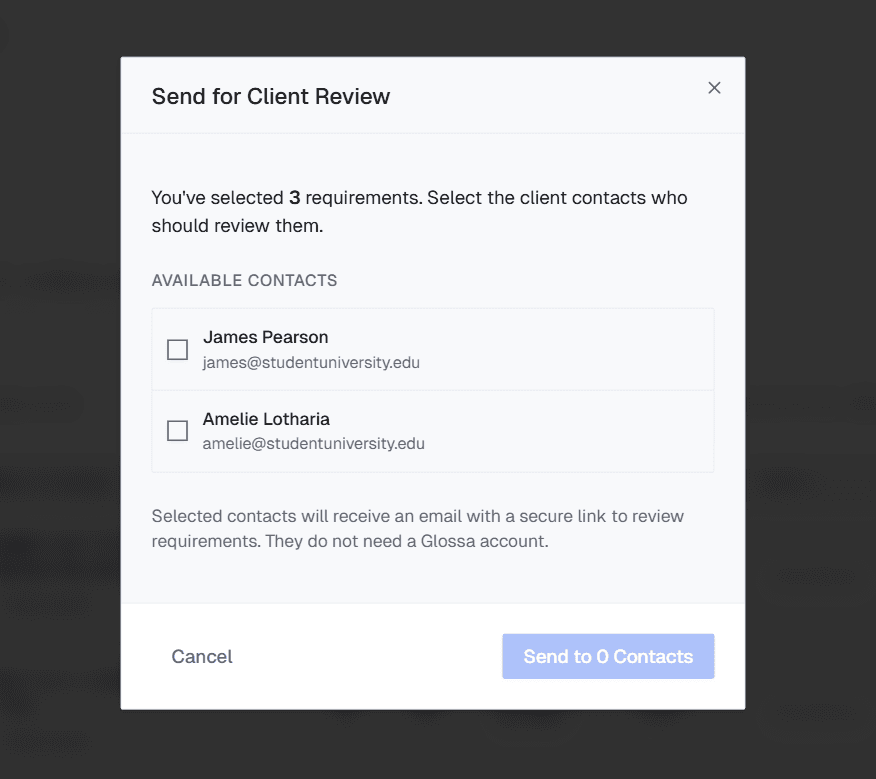
Choose exactly which requirements go out, and which client contacts see them. They get a clean, searchable, filterable view built for reviewing — so nothing gets lost, even on a big project. Clients open a simple emailed link: no username, no password, and no extra seats for you to pay for
Structured, not chaotic
When clients review requirements, they can do three things: approve, flag, or discuss. No editing, reverting, wordsmithing, or re-architecting. You stay the owner of the source of truth.

Full audit trail
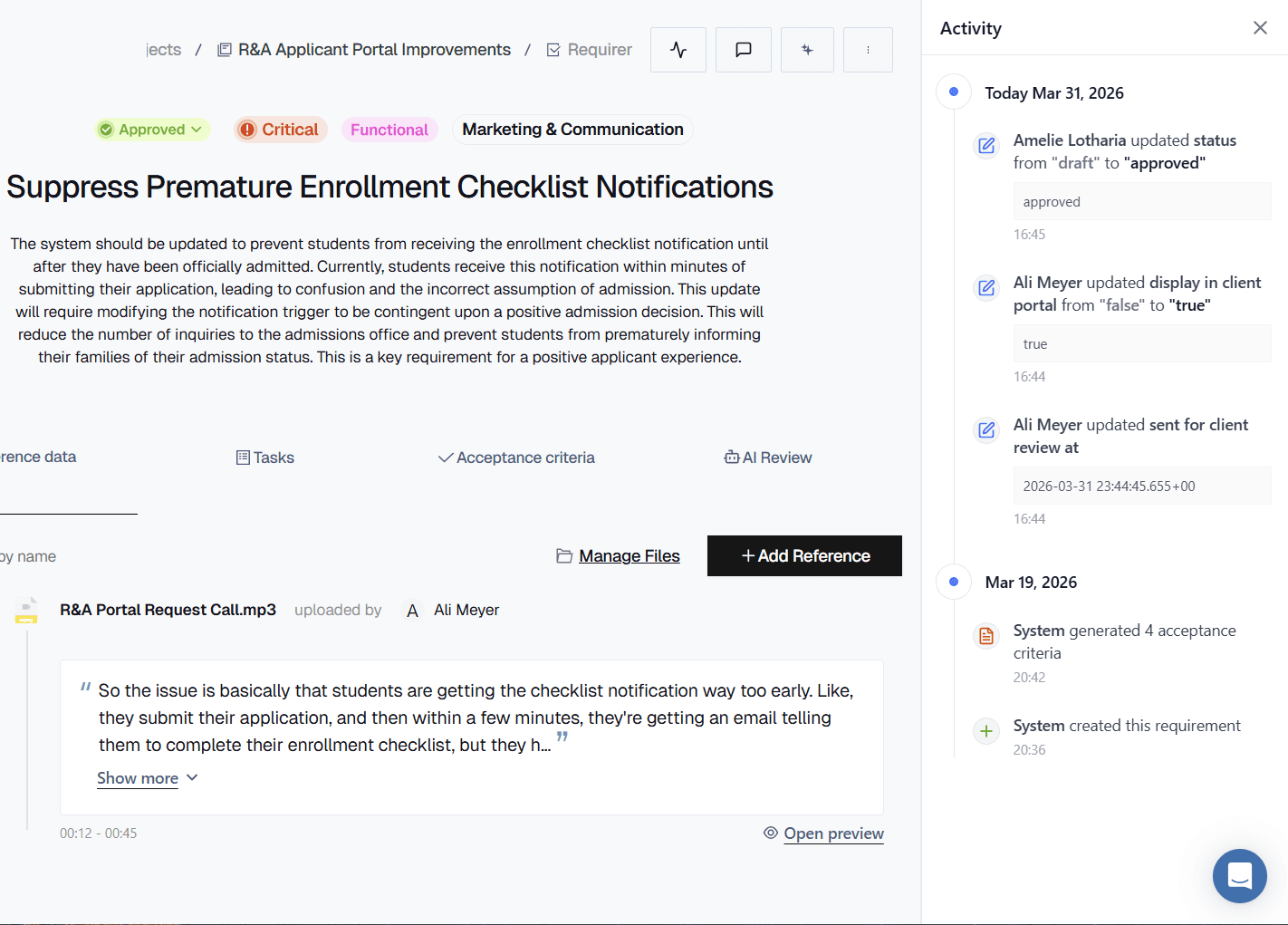
Every upload, answer, approval, flag, and comment is tracked and traceable — no more guessing who said what, when. You always have the receipts.